AI image template: Lifetime Faces Aging Grid
Idoli.ai Template

Lifetime Faces Aging Grid

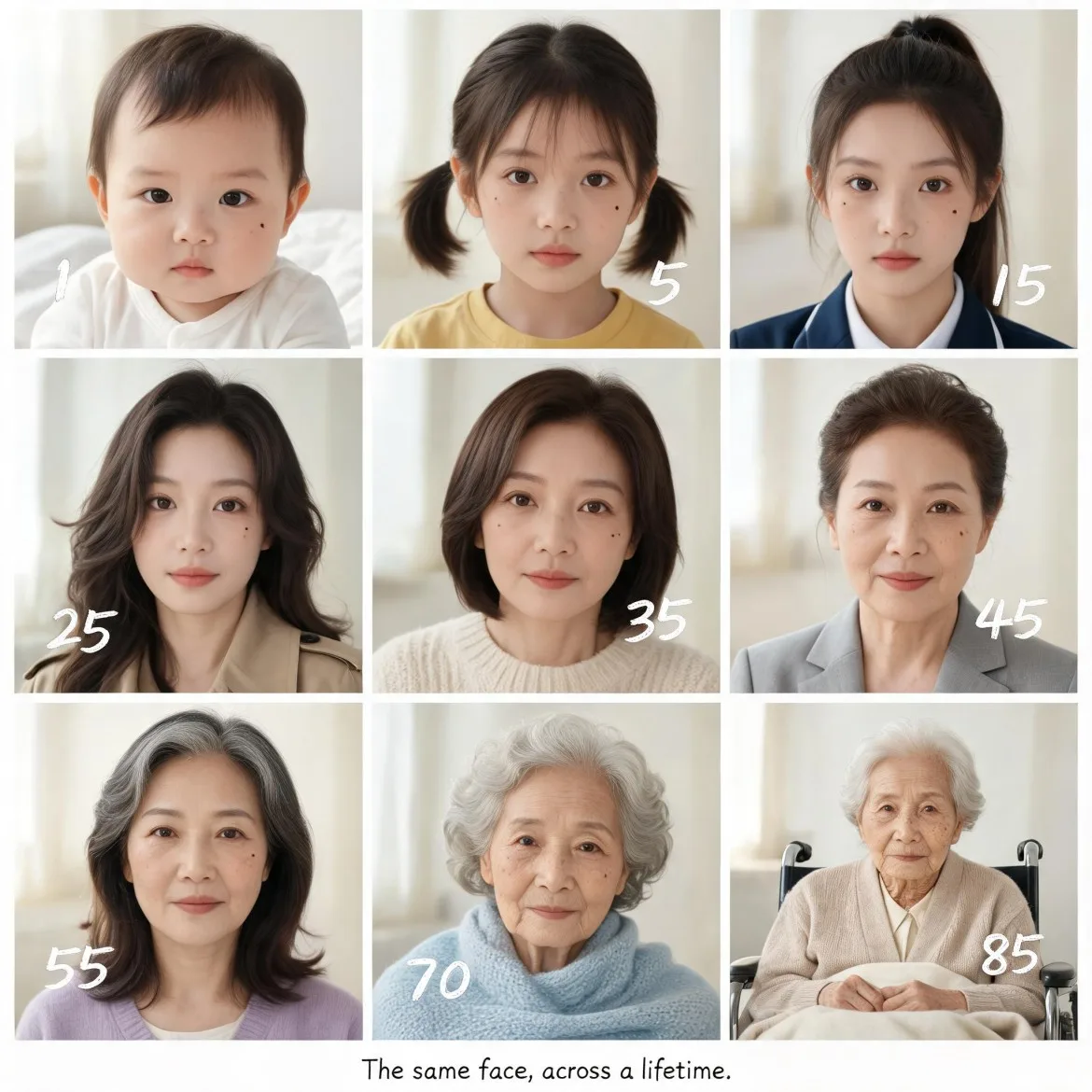
Creates a 9-panel realistic age progression grid of one woman, with unbroken facial continuity and natural museum-style layout.

Template prompt

Create a clean nine-panel realistic photography age progression grid of one East Asian woman shown at 1, 5, 15, 25, 35, 45, 55, 70, and 85 years old, arranged left to right and top to bottom with thin white dividers. This is an original character, and every panel must preserve the same core facial identity: dark brown almond eyes, a small mole on her left cheek, the same eye spacing and lip shape, and dark brown hair that naturally grays in later years; the child and toddler panels look age-appropriate and are fully clothed portraits, not adult-like renderings. Begin with a 1-year-old in a soft white cotton onesie sitting on a white blanket with baby-fine dark brown hair and rounded infant cheeks; then a 5-year-old with short pigtails in a faded yellow cotton t-shirt; a 15-year-old with a high ponytail in a navy school uniform with a slightly wrinkled collar; a 25-year-old with loose wavy hair in a beige trench coat showing faint wear along the cuffs; a 35-year-old with a shoulder-length bob in a cream knit sweater with gentle pilling; a 45-year-old with a neat low bun in a light gray blazer with subtle creases; a 55-year-old with shoulder-length hair streaked with gray in a soft lavender cardigan; a 70-year-old with silver curly hair in a pale blue knit shawl; and an 85-year-old with thin silver hair in a beige knit cardigan seated in a simple wheelchair, her hands resting naturally over a lap blanket. Each portrait uses a softly blurred neutral indoor background in warm off-white tones, with a plain chair edge or sheer curtain suggested only as a faint shape, plus a small handwritten age marker placed neatly near each panel. Style: realistic documentary portrait photography, natural film grain, restrained warm color grading, palette of warm off-white, soft beige, muted navy, pale lavender, and silver gray, avoiding plastic-smooth skin, inconsistent facial identity, misplaced moles, distorted hands, extra fingers, uncanny child-adult faces, over-stylized illustration, and franchise resemblance. Gentle natural window light comes from the left of each portrait, with a soft white reflector fill from the right; skin texture changes by age, from soft baby skin to faint freckles in youth, fine lines at the eyes in midlife, and delicate wrinkles, age spots, and thinner skin in old age, with no over-smoothed commercial retouching. Sharp focus rests on the eyes and left-cheek mole in every panel, while backgrounds dissolve into shallow blur. A narrow handwritten-style caption at the bottom reads exactly: "The same face, across a lifetime." Shot parameters: 8K, photorealistic, high resolution, consistent character identity, museum-style grid layout, 50mm f/1.8 prime lens, shallow depth of field.
Pre-configured

📷 image1:1age generator ai

About this template

This age generator AI builds a nine-panel realistic portrait series showing the same East Asian woman from infancy through age 85. The image is designed as a clean museum-style progression: three rows, thin white dividers, warm off-white indoor backgrounds, and a handwritten age marker for every stage.

The default subject has three identity anchors that must not drift: dark brown almond eyes, a small mole on her left cheek, and dark brown hair that naturally turns silver over time. Each outfit is ordinary and slightly lived-in, from a wrinkled navy school uniform collar to a softly pilled cream sweater. The result answers the practical search intent behind age progression from photo to elderly portrait without turning the later panels into caricatures or fantasy makeup tests.

Personalize the life stages
You can swap clothing colors, hairstyles, and background objects to fit a family archive, personal project, or character design sheet. Replace the school uniform with a simple cardigan, or change the wheelchair blanket, but keep the mole, eye shape, and eye spacing unchanged. Those features are the anchor. If you want realistic aging progression for the same face, preserve them in every panel and let only skin texture, bone structure, hair volume, and posture shift with age.

Control the style intensity
Keep the 50mm f/1.8 look for soft, consistent separation. If the panels feel too polished, increase film grain slightly, add faint under-eye texture in the adult stages, and reduce highlight glow. For a warmer family-album feel, move the window light a touch more golden. For a clinical reference sheet, cool the light, lower saturation, and tighten the aperture so clothing edges stay a little clearer.

Adapt the layout and use
The same recipe works for a three-row print, a character reference board, or a memorial-style lifetime portrait. You can also use the same anchors when testing how a child might look at different ages or preparing AI face aging with consistent features. Keep one sharp facial anchor, one soft background, and one repeated caption style across the full set.

Check the caption carefully after generation. It should read exactly, "The same face, across a lifetime." If letters distort, regenerate or add the caption in an external editor rather than accepting garbled text.

This template does not produce exaggerated old-age makeup, inconsistent faces, fantasy races, celebrity lookalikes, or sexualized portraits of minors.

Similar templates

AI Character Bust Proportion Comparison

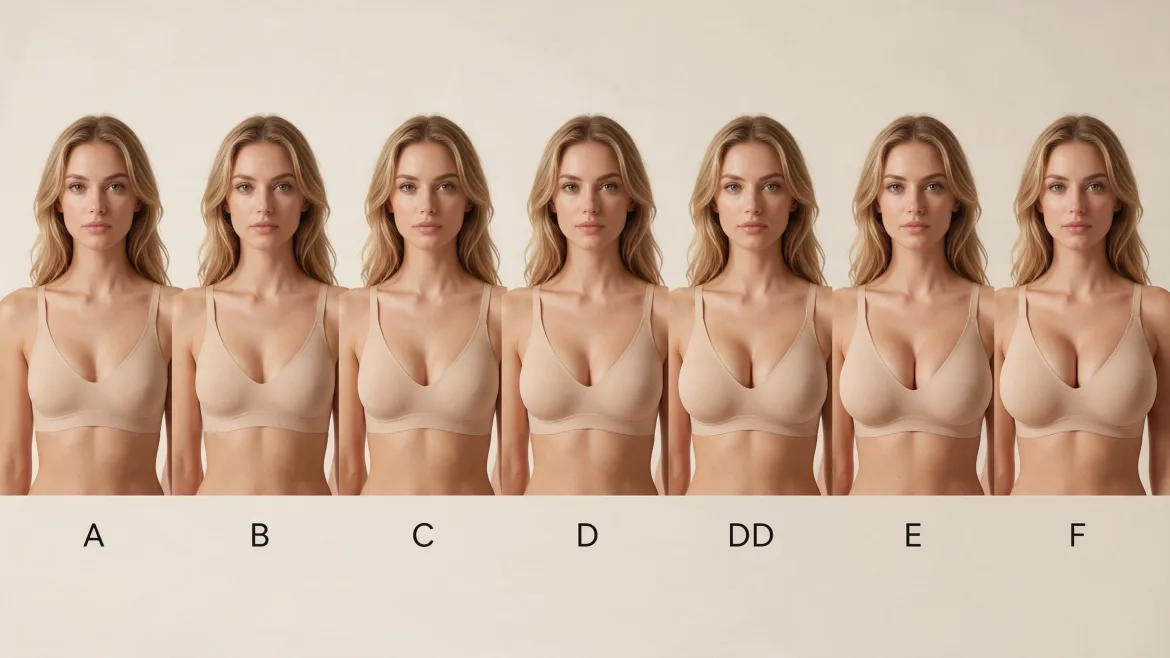
Compare bust proportions on the same photorealistic fictional character, arranged from smaller to fuller with a cup label beneath each portrait.

Unblur Photos: Sharpen a Soft Portrait

Improve the clarity of a slightly blurry portrait while aiming to preserve the person's features, natural texture, and original photographic atmosphere.

AI Breast Expansion: Fuller Bust Photo Edit

Use a reference photo to explore a naturally fuller bust while aiming to retain the person’s appearance, outfit, pose, and surrounding proportions.

Create Funny Pictures from Photos: Cartoon Caricature

Turn a portrait into a funny cartoon caricature with an oversized head, expressive features, and recognizable details from the original photo.

Full Body Gender Swap AI: A Feminine Fashion Makeover

Reimagine an adult male character as a female counterpart in a head-to-toe fashion portrait, with recognizable facial cues and a coordinated outfit.